







 Back
Back
- Home365
-
Published:
-
Updated:
-


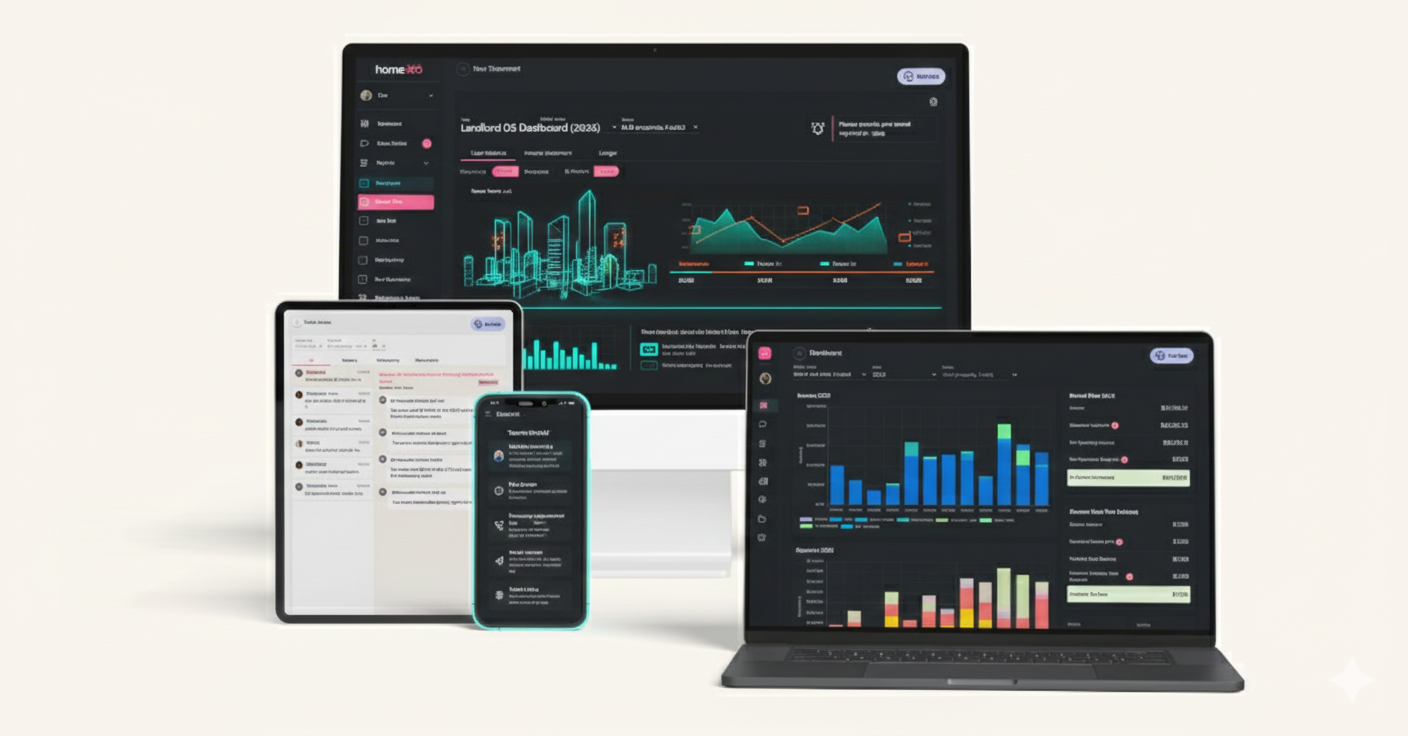
Landlord software has become an essential tool for property owners, whether you manage a single condo or a portfolio of dozens of units. The adoption of these digital tools has surged by 67% between 2020 and 2023, driven by landlords seeking efficiency and cost reduction. In fact, the global property management software market is projected to double from $26.5 billion in 2025 to over $52 billion by 2032. This article explores why landlord software is in such high demand, what key features to look for, and how top platforms compare – all to help you choose the right solution for your needs.
Overview of Landlord Software
What is landlord software? Landlord software (or property management software) is a digital platform that helps property owners handle rental operations more easily and efficiently. It replaces manual processes – think endless spreadsheets, paper checks, and ad-hoc phone calls – with an all-in-one system for tasks like rent collection, tenant screening, maintenance tracking, and expense management. The goal is to save time, reduce errors, and give landlords real-time visibility into their rental business.
Challenges it addresses: Being a landlord involves juggling many responsibilities. Without dedicated software, you might use spreadsheets or separate tools for accounting, leases, and communication – which can be cumbersome and error-prone. (Studies indicate that close to 90% of spreadsheets contain input errors, a risk when dealing with finances and legal documents!) Landlord software directly tackles these challenges by automating routine work and centralizing information. For example, instead of manually reminding tenants about rent each month, the software can send automatic reminders and even apply late fees. Instead of keeping receipts in a shoebox, you can log expenses on the go and generate tidy reports at tax time.
Efficiency and user-friendliness: Modern landlord platforms are designed to be user-friendly, often with intuitive dashboards and mobile apps. This means even novice landlords can get up to speed quickly. The software handles the heavy lifting (calculations, alerts, record-keeping) behind the scenes. One landlord-turned-user highlighted how a good platform “makes things simple – accounting, tenant communications, maintenance tasks – all in the system”. In short, the right tool can turn a once overwhelming DIY management process into a more automated and streamlined workflow.
Key Features to Look For in Landlord Software

When evaluating landlord software options, focus on the features that will make your life easier and address your specific pain points. Below are some essential features and capabilities to look for:
- Online Rent Collection & Automation: The platform should allow tenants to pay rent online (via ACH, credit, etc.) and ideally support automatic recurring payments. This ensures on-time payments and saves you from chasing down checks. Look for features like scheduled reminders and auto-applied late fees for truly hands-free rent collection.
- Lease Management & e-Signatures: Keeping track of lease agreements, renewal dates, and tenant move-in/move-out can be complex. Good software offers digital lease management, including storing lease documents and sending notifications for upcoming expirations. Electronic signing of leases and notices is a big plus for convenience and record-keeping.
- Tenant Screening Tools: Finding quality tenants is critical. Many landlord platforms integrate tenant screening services (credit checks, background checks, eviction history) that you can run at the click of a button. Built-in screening saves time and helps you make informed decisions with reliable data on applicants.
- Maintenance Tracking & Requests: Maintenance coordination can be a hassle via phone or email. Look for a system that provides a maintenance request portal where tenants can submit repair requests (often with photos), and you can track progress. The software should allow you to assign tasks to vendors and update tenants when issues are resolved – keeping all parties informed.
- Expense Tracking & Accounting: One of the biggest advantages of landlord software is simplified bookkeeping. Essential features include the ability to log expenses and income by property, attach receipts, and perhaps even sync with bank accounts or credit cards. Automated categorization of transactions (e.g., tagging something as a “repair” or “utilities” expense) is valuable for generating financial statements. This ensures accurate, tax-ready reports (like profit-and-loss or Schedule E reports) with minimal manual effort.
- Tenant Communications & Portal: A tenant portal or app greatly enhances communication. This feature allows tenants to log in to view their balance, send messages, submit maintenance issues, or download documents. For landlords, having a communication log in one place is convenient. Some platforms even support bulk messaging or emergency alerts to tenants. A user-friendly tenant experience (e.g. easy mobile access) will keep renters happier and reduce misunderstandings.
- Scalability and Multi-Property Support: If you plan to grow your portfolio, ensure the software can grow with you. It should handle multiple properties and units, ideally with the ability to scale without huge cost jumps. Features like multi-property dashboards and role-based access (if you have assistants or property managers) are important for larger operations. Tip: Consider the pricing model – some charge per unit or have tiered plans that might become expensive as you add properties.
- Integrations and Advanced Tools: Bonus features can set platforms apart. For example, integration with listing sites to post vacancies, or with accounting software like QuickBooks, can save duplication of work. Advanced tools might include analytics dashboards, document storage, or even AI assistants. (Notably, some newer platforms like Home365 offer innovative perks such as an AI voice assistant to get portfolio insights or 24/7 maintenance support – unique features worth considering.)
Keep your own needs in mind as you review these features. For instance, if you self-manage a handful of units locally, you might prioritize rent collection and maintenance tracking. If you have a larger portfolio or use a property manager, robust accounting and reporting might rank higher.
Comparing the Top Landlord Software Platforms
With a clear idea of key features, let’s compare some of the best landlord software platforms available today. Below is a comparative snapshot of popular solutions, including what each is “best for,” availability of free versions, pricing, and regional availability. Use this table as a starting point to narrow down candidates, and then we’ll discuss a few highlights and differences.
Landlord Software Comparison Table
| Platform | Best For | Free Plan | Pricing | Availability |
|---|---|---|---|---|
| Home365 | Hands-off full-service management with free software | ✔️ (included with management service) | Management fees vary; software portal is free for clients | US (service available in select markets) |
| Baselane | Integrated banking + bookkeeping for DIY investors[6] | ✔️ (core features free) | Premium from $20/mo (advanced features) | US-only (banking US-based) |
| Buildium | Mid-sized to large professional managers | 🚫 (14-day trial) | Starts ~$62/mo (scales by unit count) | US-only (primarily) |
| AppFolio | Large portfolios, property management companies | 🚫 (no free trial) | Custom – ~$280/mo minimum (requires 50+ units) | US-only (primarily) |
| TenantCloud | Small landlords on a budget | 🚫 (14-day trial) | From ~$18/mo (price per unit) | Global (cloud-based) |
| Rentec Direct | Owners needing strong accounting + support | 🚫 (14-day trial) | Starts ~$45/mo (for 1 unit) | US-only |
| Stessa | Analytics and tax-focused landlords | ✔️ (free core) | Premium add-ons from ~$12/mo | US-only (focus on U.S. taxes) |
| Landlord Studio | Mobile-first income & expense tracking | ✔️ (limited free) | Pro from ~$12/mo (up to 3 properties) | Global (supports multi-currency) |
| Propertyware | Large single-family portfolios (enterprise) | 🚫 | Starts ~$1/unit/mo (min ~$250/mo) | US-only |
| DoorLoop | Growing portfolios wanting modern UI | 🚫 (demo/trial) | Unit-based, e.g. $69/mo for 1 unit | Global (cloud-based) |
| Avail (Apartments.com) | New DIY landlords (simple setup) | ✔️ (basic free) | Premium from ~$9/unit/mo | US-only |
| TurboTenant | Easy listings & tenant leads (freemium model) | ✔️ (free basic) | Premium landlord tools ~$9/mo | US-only |
| SimplifyEm | Simplified rent tracking (very small portfolios) | 🚫 (trial) | Starts ~$40/mo (up to 10 units) | US-only |
| Hemlane | Hybrid self-management with local agent help | ✔️ (basic tier) | From ~$30/mo for 1 unit | US (offers local agent coordination) |
| Yardi Breeze | Small-to-mid property management firms | 🚫 | Starts ~$100/mo (or ~$1/unit) | Global (Yardi has international clients) |
Table Notes: “Free Plan” indicates if a free version (or trial) is available – many offer free trials, while a few have a permanently free tier (with limited features). Pricing is approximate starting costs for reference (actual pricing may vary by number of units or feature tier). Availability refers to primary market; some platforms are U.S.-centric (especially those with banking or screening tied to U.S. systems), whereas others are cloud-based and usable internationally.
Analysis of Platforms and Unique Advantages
Each platform has its strengths. For example, Baselane stands out for its integrated banking and automated bookkeeping tailored to real estate investors – it even provides high-yield banking accounts and automatically categorized expense tracking which can save hours each month. However, Baselane currently lacks a mobile app and built-in tenant messaging (features slated for future updates).
On the other hand, Buildium and AppFolio are veteran solutions popular with professional property managers. They offer comprehensive feature sets (accounting, maintenance, portals, etc.) suitable for large portfolios, but they come with higher price tags and, in Buildium’s case, additional fees (Buildium charges a ~$99 setup fee per bank account for rent processing). These might be “overkill” for a small landlord but are proven choices for scaling up. Notably, AppFolio requires a minimum unit count (around 50+ units) and has custom pricing, making it more fitting for established management companies.
For independent landlords or those with a handful of units, TenantCloud, Avail, TurboTenant, Stessa, and Landlord Studio are very attractive. They either have free versions or low-cost plans. For instance, Avail (now part of Apartments.com) offers a free basic tier which covers online rent payments and maintenance tracking – great for a newbie landlord learning the ropes. Stessa is another free tool beloved by many for its analytics dashboard and tax prep reports, though it’s mainly focused on financial tracking and less on tenant communications. TenantCloud combines several functions (rent collection, listings, etc.) at budget pricing, and being cloud-based it has users internationally – a consideration if you manage properties abroad or plan to in the future.
Landlord Studio deserves a mention for being mobile-first and very easy to use on the go – if you prefer managing your rentals from a smartphone, its app is highly rated. It’s also one of the platforms that support multiple currencies and countries, whereas some competitors (like SimplifyEm or Rentec Direct) are more U.S.-specific in their features and support.
A few platforms target special niches: Hemlane, for example, is great if you self-manage but occasionally need local assistance – it helps coordinate with local agents for showings or repairs, bridging the gap between DIY and full property management. Propertyware and Yardi Breeze are part of larger real-estate software families (RealPage and Yardi, respectively) and geared toward professional managers – known for reliability and scalability, but possibly more complex to learn.
Home365 vs. the rest: Home365’s approach is somewhat unique. It’s a blend of software and service – an all-in-one property management solution that comes with its Owner Portal software included. This means if you sign up for Home365’s property management services, you not only get a tech platform for free, but also a team handling day-to-day operations (from tenant placement to maintenance). The Owner Portal itself covers the standard features (rent collection, financial reports, maintenance tickets, live dashboard), but the real differentiator is the full-service, “hands-off” experience for landlords. For someone who values time and peace of mind over DIY management, this can be a game-changer. As one Home365 user noted, “Online payments are a game-changer. So easy to use.” and another praised that “managing maintenance across multiple properties has never been easier” with everything organized in one portal. Essentially, Home365 is ideal if you want the benefits of software plus a professional management team – combining tech and human expertise. (Do keep in mind Home365 operates in select U.S. markets, so availability depends on your property location.)
Tip: When comparing platforms, make sure to read up on user reviews and testimonials. A software might look great on paper but hearing from fellow landlords about their experiences is invaluable. Many of the above platforms have reviews on sites like Capterra or Trustpilot (for example, Baselane and Buildium both have ratings around 4.5/5 with users often mentioning time saved on bookkeeping). Take note of comments on customer support quality, ease of use, and any hidden fees – these factors can be just as important as features in daily use.

Checklist: 8 Questions to Ask When Choosing Landlord Software
Selecting the right software becomes easier when you have clear criteria. Here’s a handy checklist of questions to guide your decision-making:
- What is my biggest pain point as a landlord? – Identify the main problem you need the software to solve (e.g. late rent payments, tracking expenses, coordinating maintenance). Focus on a solution that excels at that primary need.
- Do I need an all-in-one platform or specific tool? – Some landlords prefer an all-in-one solution that handles everything in one place. Others might only need a specific function (like just tenant screening or just accounting) and are fine using multiple tools. Decide if you want a suite of features or a specialized tool that integrates with your other systems.
- How much can this software automate for me? – A major benefit is automation. Ask if the software can automate rent reminders, late fees, invoice generation, bookkeeping entries, report generation, etc. The more it automates your routine tasks, the more time it frees up for you.
- Is the platform user-friendly (for me and my tenants)? – Consider the usability. You and your tenants should find the interface intuitive. Is there a mobile app for on-the-go access? A clunky system that tenants refuse to use for paying rent defeats the purpose, so look for a modern, easy experience on both ends.
- How does it handle my money and reporting? – Trusting a software with your rental finances means it should offer transparent and robust financial tracking. Can it separate finances by property? Generate reports that make sense (income, expense, cash flow, etc.)? If you have multiple properties, does it consolidate data nicely and help at tax time?
- Does the pricing make sense for my portfolio size? – Analyze the pricing model in context of your portfolio. If you have 2 units, a free or low-cost solution might suffice, whereas a 50-unit portfolio might justify a higher-end tool. Beware of per-unit pricing that could become expensive as you grow. Also check for extra fees (for payments, customer support, onboarding, etc.) so you’re not caught by surprise.
- Will it integrate with tools I already use? – If you rely on other software (like QuickBooks for accounting, or Zillow for listings, or a CRM), check if the landlord software offers integrations or data export/import. A good platform should play nicely with your existing workflow or at least allow you to export your data easily.
- What support and resources are provided? – Especially if you’re new to property software, good customer support is vital. Does the platform offer responsive support (phone, email, chat)? Are there tutorials, help centers, or even one-on-one onboarding sessions? Strong support and training resources can greatly smooth your learning curve and help you fully utilize the software’s features.
Use these questions as a framework when evaluating options. It can also be helpful to jot down your answers for two or three top choices and compare side by side. The right choice will become clearer when you see which software checks the most boxes for your situation.
Conclusion
Landlord software is no longer a luxury; it’s quickly becoming a must-have in modern property management. By automating routine tasks, reducing errors, and providing valuable insights, the right platform can transform how effectively you manage rentals – whether you’re a first-time landlord with a duplex or an experienced investor with a growing portfolio. In this guide, we discussed the core features to look for (from rent automation to maintenance tracking), compared many of the leading platforms, and offered a checklist to help you make an informed choice.
The bottom line is every landlord’s needs are a bit different. Take advantage of free trials and demos to test-drive a couple of promising platforms. Pay attention to what feels intuitive and which solution addresses your biggest headaches. If you find yourself saving hours of work and avoiding hassles (like fewer midnight maintenance calls or no more manual receipt sorting), you know you’ve found a winner.
Ready to elevate your property management game? We encourage you to evaluate your needs and try out one of these software solutions. Of course, if you’re looking for an all-in-one solution with expert support, feel free to explore what Home365 has to offer – our approach might be the perfect fit for landlords seeking truly hassle-free management. Get in touch with Home365.co to learn how our technology and team can make your rental business run smoothly.
What features matter most to you in a landlord software platform? Let us know in the comments – we’d love to hear your thoughts and experiences!